Hash Value Verification in Windows: Ensuring File Security
Introduction
Hash values are like a digital fingerprint for each file. They help make sure files stay exactly the same and haven’t been changed or damaged. On Windows, you can check hash values using built-in tools like Command Prompt or PowerShell, or with easy-to-use hash verification tools. Knowing how to do this helps keep your files safe and ensures they are authentic.
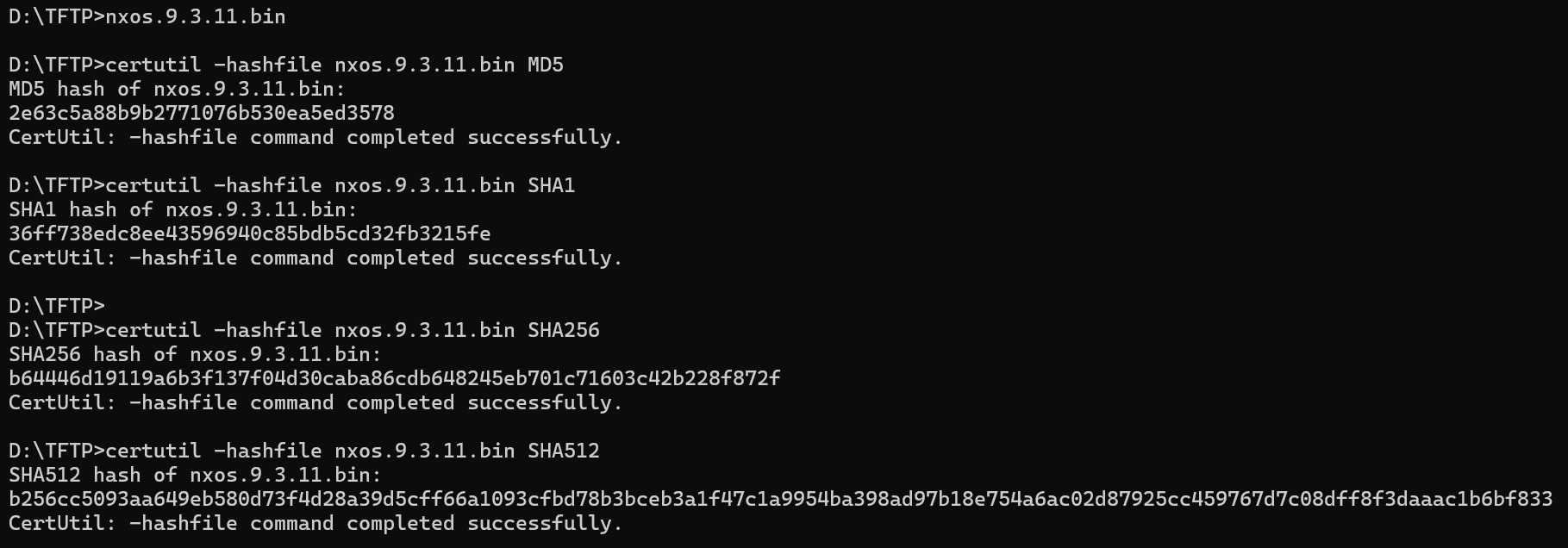
Using the Command Prompt
- Open a command prompt.
- Navigate to the directory containing the file whose hash value you want to verify.
- Type the following command and press Enter:
certutil -hashfile filename MD5
Replace filename with the name of the file.
- The command will display the MD5 hash value for the file.
- Compare the hash value to the expected value.
Using PowerShell
- Open PowerShell.
- Navigate to the directory containing the file whose hash value you want to verify.
- Type the following command and press Enter:
Get-FileHash filename -Algorithm MD5
Replace filename with the name of the file.
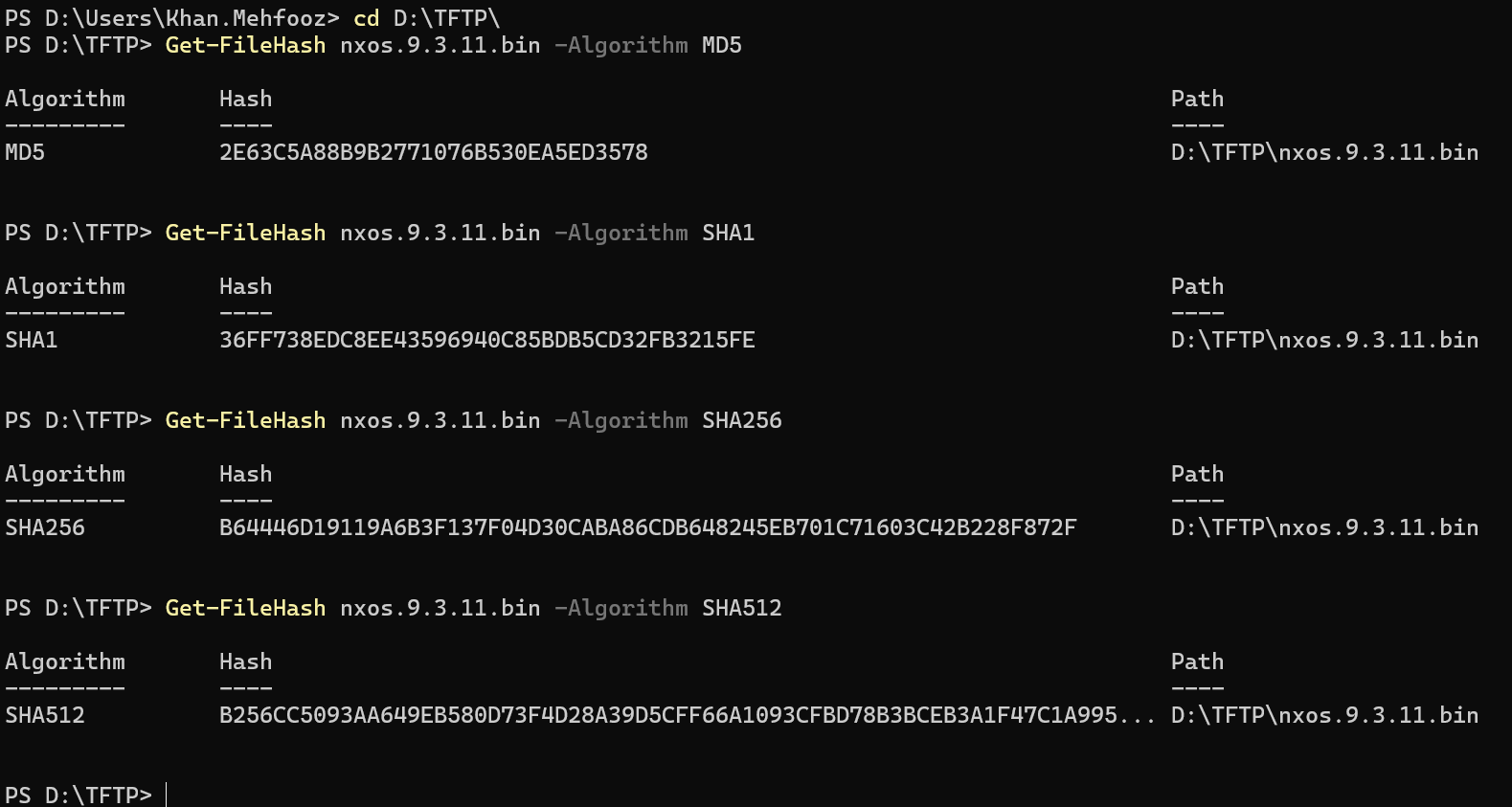
- The command will display the MD5 hash value for the file.
- Compare the hash value to the expected value.
Using Our Hash Verification Tool
Our MD5 and SHA Hash Calculator & Verify File tool allows you to quickly generate and verify hashes in one place. Steps to verify a file:
- Open the tool in your browser.
- Select the file you want to check.
- The tool will automatically generate MD5, SHA-1, SHA-256, and SHA-512 hash values.
- Enter the expected hash value to verify the file’s integrity.
- If the generated hash matches the entered hash, your file is intact and unaltered.
Benefits:
- Ensures data integrity.
- Helps in detecting file corruption.
- Verifies authenticity of files.
Conclusion:
Checking hash values is important to make sure files on Windows are safe and haven’t been changed or damaged. You can do this using built-in tools like Command Prompt or PowerShell, or by using our MD5 and SHA Hash Calculator & Verify File tool. Using these methods helps you keep your files secure, reliable, and exactly as they should be.